


Imagine capturing the vibrant colors and intricate details of birds in their natural habitat, all with the help of your Nikon P900 camera. You might be wondering, how do you set up the perfect bird watching feature on this powerful device?
Whether you are a seasoned bird watcher or a curious newbie, unlocking the potential of your camera can take your bird watching experience to a whole new level. This guide is designed just for you, providing simple steps to enhance your bird watching adventures.
Get ready to discover the secrets that will transform your photography skills and help you capture stunning images that tell the story of nature's beauty. Keep reading to find out how you can make the most of your Nikon P900 for unforgettable bird watching experiences.
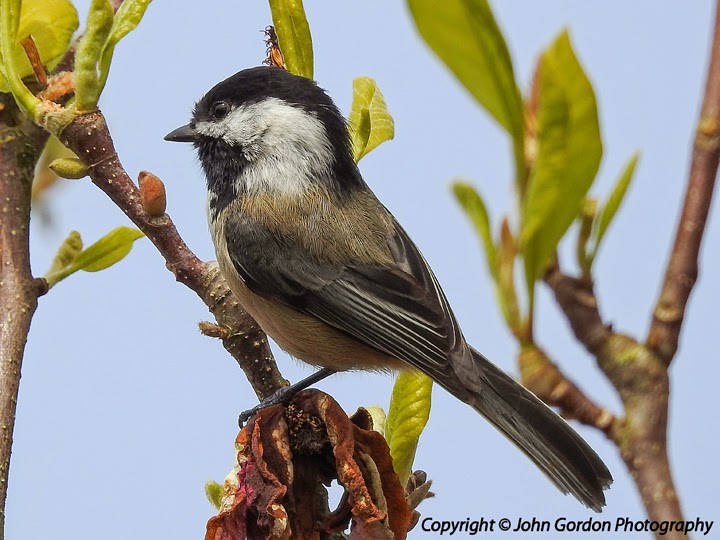
Credit: thecanadianwarbler.blogspot.com
Bird Watching Mode Benefits
Adjusting your Nikon P900 to bird watching mode enhances image stability and clarity. Navigate the menu, select 'Scene', then choose 'Bird Watching'. This setting optimizes the camera for capturing distant avian subjects with precision.
Bird watching is an enriching hobby that brings you closer to nature. The Nikon P900, with its Bird Watching Mode, enhances this experience by making it easier to capture the beauty of avian life. This feature is designed to simplify your bird watching experience and help you get the most out of your photography sessions.
Enhanced Zoom Capabilities
The Nikon P900 is renowned for its incredible zoom capabilities, and the Bird Watching Mode optimizes this feature. You can zoom in on birds perched high in trees or those that are skittish and keep their distance. This ensures you capture every detail, from vibrant feathers to the subtle expressions in a bird's eyes.
Quick And Easy Setup
Setting up the Bird Watching Mode is straightforward. With just a few clicks, you're ready to start capturing images. This ease of use is perfect for when you spot a bird unexpectedly and need to react quickly to get the shot.
Improved Autofocus Performance
Bird Watching Mode enhances the camera's autofocus capabilities. It ensures you don't miss a shot due to slow focusing, especially when birds are in motion. This feature is particularly beneficial when tracking fast-moving species or capturing birds in flight.
Reduced Motion Blur
Capturing clear images of birds in motion can be challenging. The Bird Watching Mode helps reduce motion blur, resulting in sharp and crisp images. This is crucial for documenting birds during activities like flying or feeding.
Optimized Exposure Settings
Bird Watching Mode adjusts exposure settings automatically. This means you can focus more on observing and less on fiddling with camera settings. It ensures your images are well-lit and vibrant, even in challenging lighting conditions.
Increased Battery Efficiency
Bird watching can be an all-day affair. With optimized settings, Bird Watching Mode can help conserve battery life, allowing you to shoot longer without needing a recharge. This means more time in the field and less worry about your camera's battery. Have you ever missed a perfect shot because you were adjusting your camera settings? With the Nikon P900's Bird Watching Mode, those moments are minimized, letting you focus on what really matters—enjoying the beauty of birds in their natural habitat.
Accessing Camera Settings
Set up the bird watching feature on your Nikon P900 by accessing the camera menu. Choose the scene mode and select "Bird Watching" for optimal settings. This enhances your photography experience by automatically adjusting focus and exposure, capturing stunning bird images effortlessly.
Accessing the camera settings on your Nikon P900 can seem a bit daunting at first, especially when you're eager to start bird watching. However, once you get the hang of it, you'll find that setting up your camera for capturing those stunning bird shots is quite straightforward. With a little patience, you'll be able to navigate your camera's menu like a pro and make the most out of its incredible zoom capabilities. Let's dive into the specifics and get your camera ready for bird watching.
Understanding The Basic Menu Layout
Start by turning on your Nikon P900 and pressing the "Menu" button. You'll notice several tabs at the top of your screen, each representing different categories of settings. Familiarize yourself with these tabs, as they are the key to accessing various features, including the bird watching mode.
Navigating To The Shooting Menu
Head to the "Shooting Menu" by scrolling through the tabs. This section is where you can adjust settings like image quality, white balance, and ISO, all of which are crucial for capturing detailed bird photos. Make sure you're comfortable navigating through this menu, as it's where you'll make most of your adjustments.
Adjusting Image Quality And Size
Once in the "Shooting Menu," find the "Image Quality" and "Image Size" options. Set the image quality to "Fine" and the size to "Large" to ensure your bird photos are sharp and full of detail. This setup is ideal for capturing the intricate patterns and colors of birds from a distance.
Enabling Bird Watching Mode
Scroll through the shooting options until you find the "Scene" mode. Within this, locate and select the "Bird Watching" mode. This preset optimizes your camera's settings for capturing fast-moving subjects, like birds, making it easier for you to focus and snap that perfect shot.
Setting Up Your Autofocus
Autofocus is crucial for bird watching, given how unpredictable birds can be. Go back to the "Shooting Menu" and find "AF Area Mode." Choose "Dynamic Area AF," which helps the camera maintain focus on your subject even if it moves slightly, ensuring you don't miss a moment.
Personal Experience: Finding The Perfect Shot
When I first set up my P900 for bird watching, I was amazed at the level of detail I could capture. A simple adjustment in the settings made all the difference. It taught me that understanding your camera's capabilities can transform your photography experience. Have you ever had a moment when a small tweak changed everything? Perhaps now is the time to explore what your camera settings can do for your bird watching adventures.
Testing Your Settings In Real-time
Now that your settings are configured, it's time to test them out. Find a location where birds are likely to appear, and practice by taking a few shots. Assess the results and adjust as necessary, ensuring your camera is perfectly tuned to capture nature's beauty. Remember, the joy of bird watching is in both the anticipation and the capture. Engage with your surroundings, and let your Nikon P900 open up a world of avian wonder.
Activating Bird Watching Mode
Enable the bird watching feature on your Nikon P900 by accessing the scene mode menu. Select the "Bird Watching" option for optimal settings. Capture stunning bird images with ease and clarity.
Activating Bird Watching Mode on your Nikon P900 can transform your birding experience. This mode optimizes the camera settings to capture fleeting, beautiful moments with precision. Whether you're a seasoned bird watcher or just starting out, this feature can help you capture stunning images with ease.
Understanding Bird Watching Mode
Bird Watching Mode adjusts the camera settings for fast-moving subjects. It enhances focus speed and ensures the exposure is right for capturing vibrant colors. This mode is designed specifically to help you photograph birds as they flit through trees or soar across the sky.
Steps To Activate Bird Watching Mode
Start by turning on your Nikon P900. Navigate to the shooting mode menu using the dial on top of the camera. Look for the bird watching mode, often symbolized by a bird icon. Select it, and your camera will automatically adjust to optimize bird photography.
Adjusting Settings For Perfect Shots
While the Bird Watching Mode sets many parameters automatically, you can still tweak settings for your preference. Consider adjusting the ISO for different lighting conditions. You might also want to change the shutter speed to capture fast movements without blur. These adjustments can make a big difference in the quality of your photos.
Practical Tips For Bird Photography
Position yourself quietly and patiently, waiting for birds to appear. Use the zoom feature to bring distant birds into focus. Remember, patience is key—you might wait a while, but the results are worth it. Try different angles and perspectives to capture unique shots.
Troubleshooting Common Issues
If your photos are coming out blurry, double-check the focus settings. Ensure your camera is steady—consider using a tripod for stability. If the colors seem off, adjust the exposure settings to better match the lighting conditions. As you explore the bird watching mode, ask yourself: How can you improve your technique? What new bird species can you discover and capture? By continuously experimenting and adjusting, you’ll not only enhance your skills but also enrich your bird watching adventures.
Adjusting Focus Settings
Adjusting focus settings on the Nikon P900 enhances bird watching. Capturing sharp images of birds requires precise focus. The camera offers both autofocus and manual options. Understanding these settings can greatly improve your photography experience.
Using Autofocus
Autofocus makes capturing birds easier. The Nikon P900's autofocus system is fast and accurate. It automatically adjusts to the subject's distance. Use the camera's menu to select the autofocus mode. For bird watching, continuous autofocus works best. It tracks moving birds smoothly. Ensure good lighting for optimal autofocus performance.
Manual Focus Tips
Manual focus offers more control. It's ideal for stationary birds or tricky lighting. Switch to manual focus using the camera's menu. Rotate the focus ring on the lens to adjust focus. Take your time to ensure clarity. Zoom in on the camera screen for precision. Practice focusing on different birds for better results. Manual focus requires patience and practice.
Optimizing Exposure
Optimizing exposure is essential for capturing stunning bird photos. The Nikon P900 offers various settings to enhance your bird watching experience. Proper exposure helps achieve clear and vibrant images. Adjusting shutter speed and aperture are key steps. These settings will allow you to capture birds in motion and detail.
Shutter Speed Recommendations
Shutter speed affects how motion is captured. For birds in flight, set a faster shutter speed. Aim for 1/1000 of a second or higher. This freezes the bird's movement, capturing sharp images. For birds perched, a slower speed like 1/250 can work. Adjust according to lighting conditions. Faster speeds need more light. Use daylight or increase ISO.
Aperture Adjustments
Aperture controls the amount of light entering the camera. A wider aperture, like f/4, blurs the background. This makes the bird stand out. In bright conditions, a smaller aperture, like f/8, is better. It keeps the whole scene in focus. Adjust based on the desired effect. Wider apertures need more careful focusing. Ensure the bird remains sharp.

Credit: www.youtube.com
Utilizing Zoom Features
Bird watching with the Nikon P900 can be a thrilling experience. The camera's powerful zoom features make it ideal for capturing distant birds. Understanding how to use these zoom features can enhance your bird watching adventures. In this section, we will explore the intricacies of utilizing the zoom on your Nikon P900.
Optical Vs. Digital Zoom
The Nikon P900 offers both optical and digital zoom. Optical zoom uses the camera's lens to magnify the subject. This type of zoom maintains image quality. It's perfect for bird watching. On the other hand, digital zoom enlarges the image digitally. It can reduce quality. For bird watching, rely more on optical zoom. It provides clearer and sharper images.
Avoiding Shake
Using high zoom can lead to camera shake. This can blur your images. To avoid this, use a tripod. It provides stability. Another option is to use the camera's vibration reduction feature. This feature minimizes shake. Hold the camera steady. Keep your elbows close to your body. These simple steps ensure your bird photos are sharp and clear.
Improving Image Quality
Setting the Bird Watching feature on the Nikon P900 enhances image quality. Access the scene mode, select Bird Watching, and adjust settings for optimal clarity. Capture detailed bird images effortlessly with this specialized mode.
Improving the image quality of your bird watching photos with the Nikon P900 can transform your experience, capturing the vibrant details of each feather and the soulful eyes of every bird. You might wonder how to make your images pop with clarity and color. The secret lies in adjusting a few camera settings that can significantly enhance your shots.
Resolution Settings
Start by checking your resolution settings. Always aim for the highest possible resolution. This ensures that every detail is captured, allowing you to crop and edit later without losing quality. Experiment with different aspect ratios to see how they affect your framing. A wider aspect ratio might help capture the spread of a bird's wings in flight. Adjusting the resolution is simple: Navigate to the camera settings menu, select 'Image Quality', and choose 'High'.
Iso Sensitivity
ISO sensitivity plays a crucial role in how your camera captures light. Lower ISO settings are ideal for bright conditions, helping maintain image clarity. When the light is low, increase the ISO setting, but be cautious—higher ISO can introduce noise. You'll find the ISO settings in the main menu. Try starting at 100 for sunny days, and gradually increase if you’re shooting in a shaded forest or at dawn. Consider your environment and the time of day. What adjustments do you need to make to capture the perfect shot? Improving your image quality doesn't have to be daunting. Think of it as fine-tuning the lens through which you see the world. With a few tweaks to the settings, you can elevate your bird watching experience and capture stunning photographs that tell a story.
Handling Lighting Conditions
Adjusting the Nikon P900 for bird watching involves selecting the right settings. Use the 'Bird Watching' mode to optimize focus and exposure. Ensure your camera adapts well to varying lighting conditions for clear, sharp images.
Bird watching can be a thrilling adventure, especially when you have the right tools like the Nikon P900. One crucial aspect is mastering how to handle various lighting conditions. Properly adjusting your camera settings can make the difference between capturing a stunning image or missing out on the perfect shot. Whether you're photographing in bright sunlight or trying to capture birds during twilight hours, understanding lighting conditions will enhance your bird watching experience.
Bright Sunlight Strategies
Bright sunlight can create harsh shadows and overexposed images. To tackle this, adjust your camera’s exposure settings to reduce brightness. You might want to use the P900's exposure compensation feature to control overexposure. Consider using a polarizing filter to manage glare and enhance color saturation. This simple addition can make your images pop without excessive editing.
Low Light Techniques
Capturing images in low light can be challenging, but not impossible. Start by increasing the ISO setting on your Nikon P900 to allow more light into the sensor. Using a tripod is beneficial to avoid camera shake, especially when the shutter speed is slower in dim conditions. You can also experiment with the camera's manual mode to fine-tune aperture and shutter speed for optimal lighting. Have you tried this in a foggy morning, where the birds’ silhouettes create an ethereal effect? Adjusting to lighting conditions is more than just technical know-how; it's about anticipating moments. How do you plan to capture the swift movements of birds under diverse lighting? Share your thoughts and experiences.
Capturing Action Shots
Capturing action shots of birds in flight can be thrilling yet challenging. The Nikon P900 offers features that can help you seize those fleeting moments. From using burst mode to tracking moving birds, you can enhance your bird watching experience and capture stunning images.
Benefits Of Burst Mode
Burst mode is a game-changer for photographing birds in motion. It allows your camera to take multiple shots quickly, increasing your chances of catching the perfect moment. Have you ever missed that incredible wing span or the precise instant a bird catches its prey? Burst mode minimizes these misses.
Think of it as a safety net for your bird photography. You can simply hold down the shutter button and let the camera do the work. This technique is particularly useful for unpredictable subjects like birds, which can change direction in a heartbeat.
Try experimenting with different burst settings. A higher frame rate can be perfect for capturing fast-flying birds, while a lower rate might suit slower-moving species. You might find that the excitement of reviewing your burst shots is half the fun!
Tracking Moving Birds
Tracking moving birds with your Nikon P900 can be an exhilarating experience. The camera's autofocus system is designed to keep up with subjects in motion, ensuring sharp and clear images. Have you noticed how some birds can dart unpredictably? This feature helps your lens stay locked onto them.
The key is to practice panning smoothly with your camera. Keep your eyes focused on the bird and your hands steady. It's almost like a dance between you and your subject, where timing and precision are crucial.
Activate your camera's tracking mode and watch as it adapts to the bird's movements. You might be surprised at how effectively it follows even the most erratic flyers. Have you considered trying this feature during different times of the day or in varying weather conditions? These variables can add new dimensions to your bird watching adventures.
Do these techniques make you feel more confident in your bird photography skills? With the right settings and a bit of practice, the Nikon P900 can be your trusty companion in capturing those breathtaking action shots of birds.
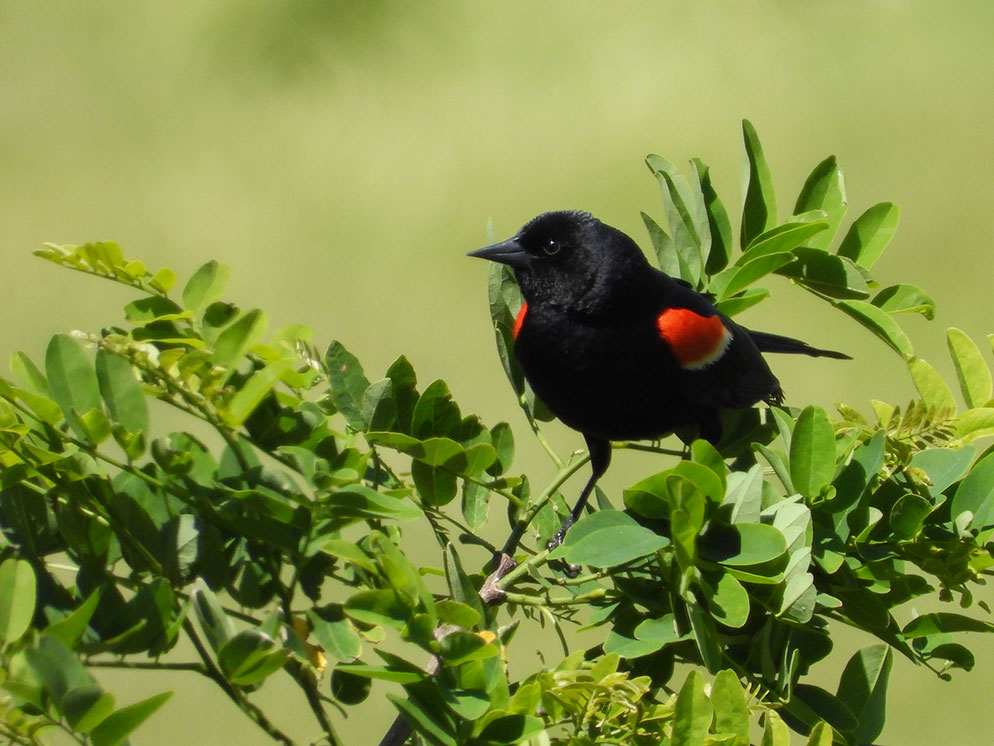
Credit: www.nikonusa.com
Maintaining Your Camera
Ensuring your Nikon P900 remains in top shape enhances your bird watching experience. Proper maintenance prolongs your camera's lifespan and keeps it functioning smoothly. Routine care prevents unexpected issues during your adventures.
Regular cleaning and proper storage are crucial for camera longevity. Avoid dust and moisture to protect sensitive components. Let's explore practical tips for keeping your Nikon P900 in pristine condition.
Cleaning Tips
Dust affects image quality. Use a soft brush to remove particles. Clean the lens with a microfiber cloth. Apply a small amount of lens cleaner for stubborn spots.
Avoid excess moisture while cleaning. Never spray liquid directly on the camera. Use a blower to remove dust from hard-to-reach areas.
Protect the LCD screen. Use a dedicated screen cleaner. Keep the viewfinder clear for sharp images.
Storage Solutions
Store your Nikon P900 in a dry place. Humidity damages electronics. Use a camera bag with padded compartments for protection.
Keep the camera away from direct sunlight. Excessive heat affects performance. Use silica gel packs to absorb moisture inside the bag.
Secure your camera in its case when not in use. This prevents accidental drops. Organize accessories separately for easy access.
Frequently Asked Questions
How To Activate Bird Watching Mode On Nikon P900?
To activate Bird Watching mode, turn on your Nikon P900 and set the mode dial to "Scene. " Use the control wheel to select "Bird Watching" from the menu. This mode optimizes settings for capturing birds, enhancing clarity and focus.
It helps you capture sharp, detailed images of birds in various environments.
What Settings Are Best For Bird Photography?
For bird photography, use a fast shutter speed to freeze motion. Set ISO to auto for flexibility in changing light. Utilize continuous autofocus (AF-C) to track moving birds. Shooting in burst mode can help capture rapid action. These settings enhance your bird photography experience with the Nikon P900.
Can I Zoom While In Bird Watching Mode?
Yes, you can zoom while in Bird Watching mode on the Nikon P900. The camera’s powerful 83x optical zoom lets you get close-up shots of distant birds. It maintains image quality and detail. Use the zoom toggle to adjust your framing without losing focus on your subject.
Is Bird Watching Mode Good For Beginners?
Bird Watching mode is excellent for beginners. It automatically adjusts settings for optimal bird photography, simplifying the process. The mode helps new photographers capture beautiful bird images without extensive manual adjustments. It’s a user-friendly feature that enhances the photography experience for novices.
Conclusion
Setting the bird watching feature on your Nikon P900 is simple. Follow the steps, and you’ll capture stunning bird photos in no time. Explore the manual mode for more control over your shots. Practice regularly to improve your skills. Soon, you’ll notice the beauty of birds in every photo.
Remember, patience is key in bird watching. Keep your camera ready, and enjoy the experience. Happy bird watching with your Nikon P900!